XBees + Arduino

Although it’s been a while since I last worked on this project, things are continuing to move along. I finally assembled the Ladyada XBee adapters and successfully passed a message between the two XBees.
So, I’m not the best solderer and the first adapter I worked on suffered from an overusing tip on my soldering iron, which made heating up the solder with the tip of the iron next to impossible. There were also some issues (that remain unresolved) in terms of configuring the XBees, but thankfully that step seems to be unnecessary (at this point anyways).
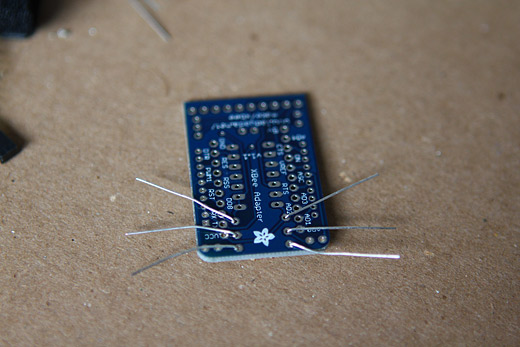
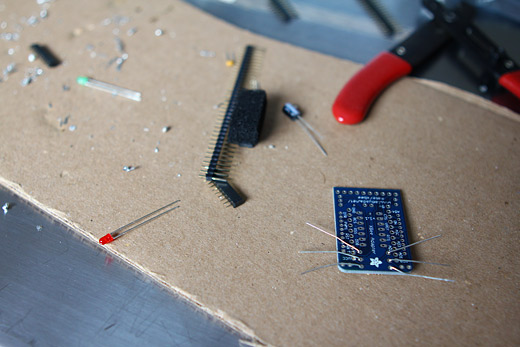
The XBee adapter with the 3 necessary resistors waiting to be soldered. I had ordered the adapters and XBees a while back, and had been reading up on them, but I’m increasingly finding that I’m at the point with this project where reading without doing isn’t that helpful.
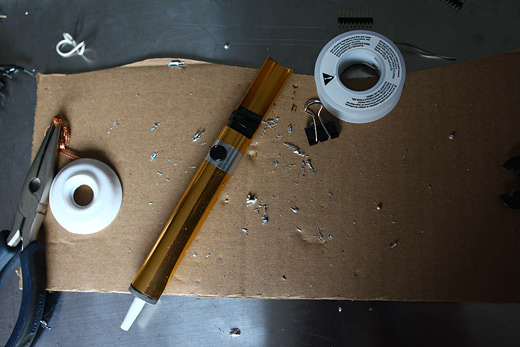
It took much, much longer than it should have to solder the two adapters, and I used the desoldering tool a lot more than I should have needed to, but it all worked out. Above, the results from those two efforts of soldering.
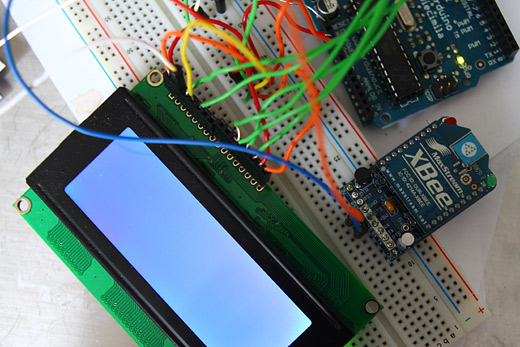
In the process of my adventures in soldering, I think I fried the green LED slightly, as it was difficult to see when it was flashing at first (it will flash to indicate it has power and is working).
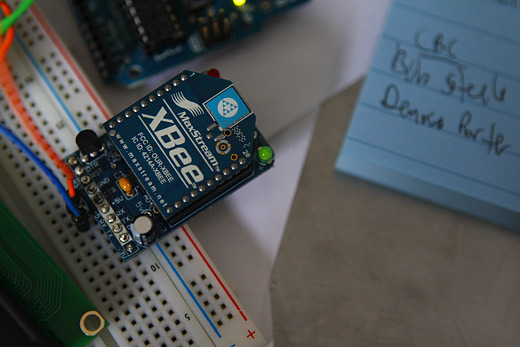
You can see here just how little the LED actually lights up, but it’s enough to confirm that it is indeed working.
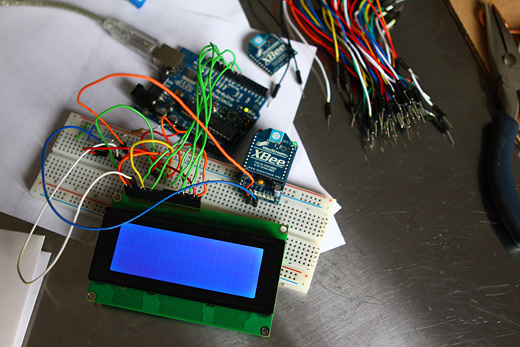
So, at this point, I was just powering up the XBee, while maintaining the same wiring for the LCD. I figured that it would be kind of pointless to remove the LCD as eventually they’d need to be connected to the same Arduino / breadboard anyways.
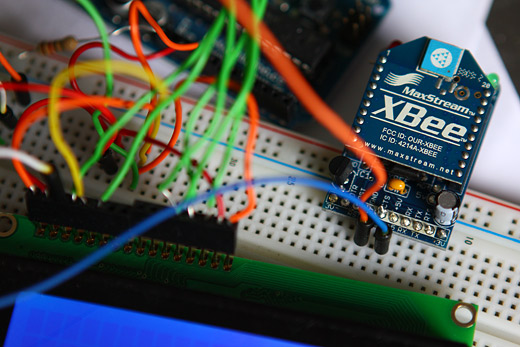
A close up of the XBee adapter simply connected to the +5v and ground.
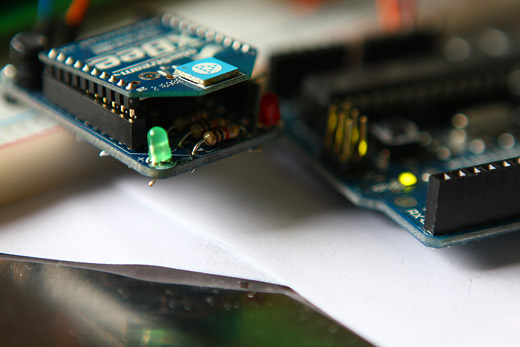
I also messed up on some part of the adapter, in terms of the connectivity to the XBee itself — it may be that because I broke off one of the pins on the pin-rows while assembling the adapter that it’s now fussy, making it necessary to position the XBee just right to get it working. Thankfully, the other adapter is totally fine.
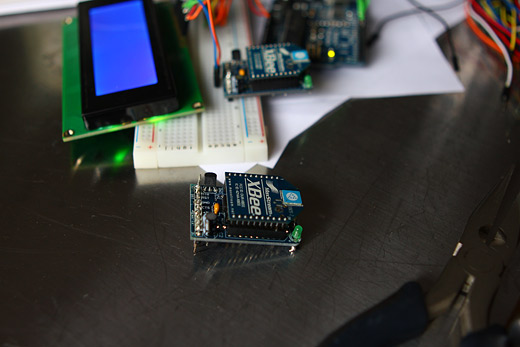
The second XBee adapter assembled.
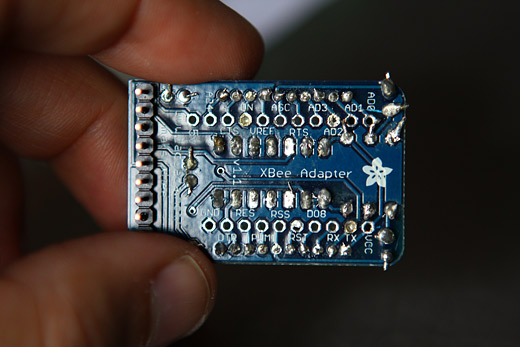
My fairly shoddy soldering job up close.
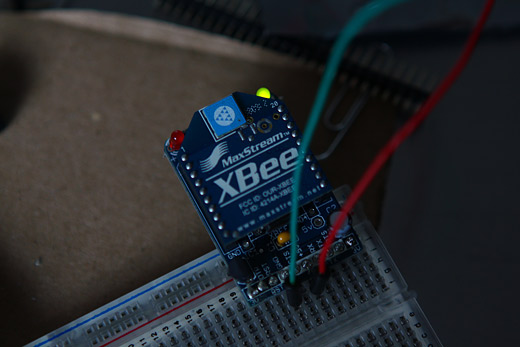
I hooked up the second adapter to the second Arduino (Duemilanove) and a breadboard to test — success!
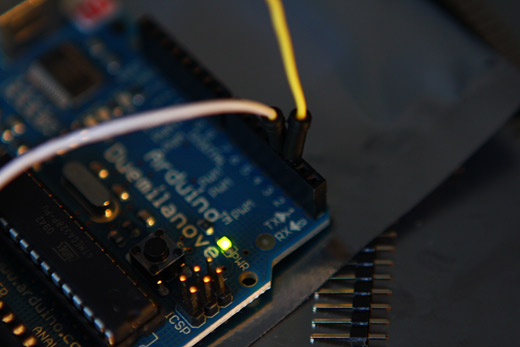
The second Arduino setup to use the software serial library, with the TX and RX on pin 2 and 3.
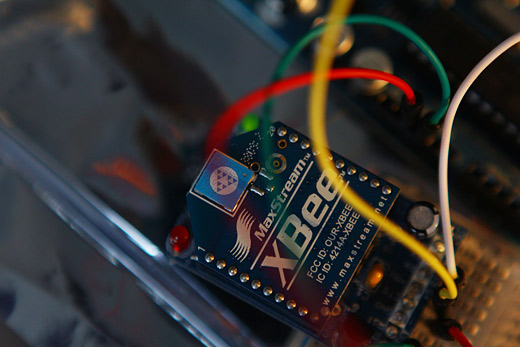
The XBee connected to ground, +5V, RX and TX. I had some significant difficulties in trying to configure the XBee via terminal in OS X. It wouldn’t seem to connect using screen, which was recommended here; instead, it would just hang. Still haven’t figured out why, but eventually I realized that, stupidly enough, I had the RX and TX mixed up on the sending XBee, possibly occurring when I switched over to using the Soft Serial to communicate. I think that I’ve since confirmed that this wasn’t the reason screen wasn’t working, but it’s still a mystery to me.
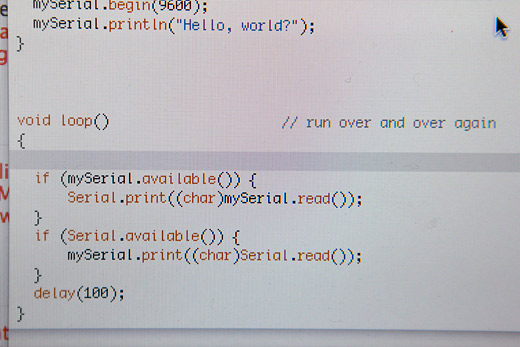
The software serial library Arduino script to do a simple test. Typing into the serial monitor in the Arduino IDE would pass along the message to the second XBee.
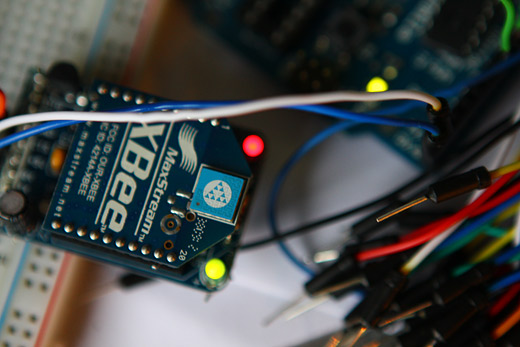
So, even though I had some fairly major stupid mistakes (wires mixed up) at first, once corrected, the red light on the second XBee turned turned on, which means successful transmission!!!
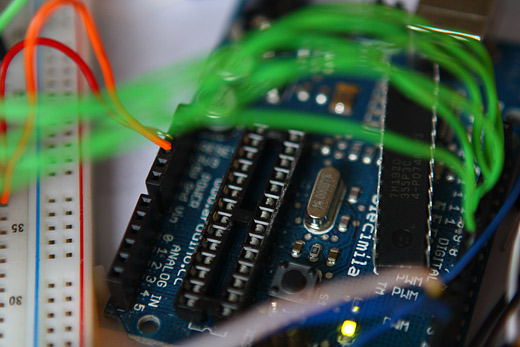
I de-chipped the Arduino on the receiving end to essentially turn it into a FTDI converter. Technically, right now, I think I have these on the wrong ends — that is, I would need the de-chipped Arduino or the FTDI converter cable on the sending end, to allow the receiving end to have the Arduino with the code to process the sent text and then display on the LCD.
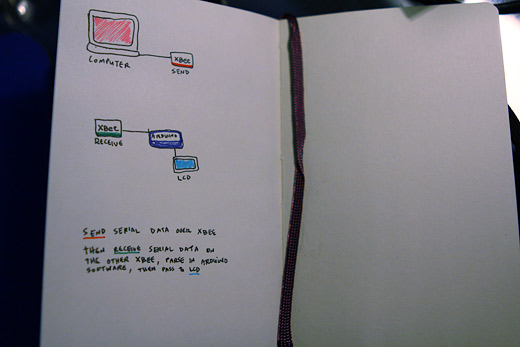
And finally, the diagram of where I’m hoping to move the project — obviously it’s fairly basic, but right now, I’m missing the connection to the LCD in terms of where the project is actually at. I need to think this through and look at the many examples online to figure out how the LCD receives the serial data. Is it the case that the XBee can just forward serial data to the Arduino?
More soon, I just need a few hours of time in a nice block, and I should be able to start sending messages wirelessly to the LCD!
–
Annotated Bibliography
http://hyperradiant.net/blog/2009/02/sending-serial-commands-to-xbe.html (set up XBee in terminal, OS X)
http://www.digi.com/support/productdetl.jsp?pid=3434&osvid=0&s=367&tp=3 (XBee read-me)
http://antipastohw.blogspot.com/2009/01/xbee-shield-to-xbee-shield.html (setting up two Xbees)
http://www.youtube.com/watch?v=-U8fxOf8JA8 (wireless LCD, sends via an XBee to an XBee connected to Arduino / LCD)
http://www.ladyada.net/make/xbee/wiring.html (instructions that explain the XBee shield)
http://www.ladyada.net/make/xbee/point2point.html (basic point-to-point networking, sending messages using softserial)
http://www.arduino.cc/cgi-bin/yabb2/YaBB.pl?num=1229180251/10 (tool for configuring XBees)
http://teenybreeny.wordpress.com/2009/04/12/xbee-going-wireless/ (more XBee configuration)
I would like to thank the Canada Council for the Arts for their generous support.


![Seeds in the Planters, Waiting to Grow We finished putting soil and seeds into the magnetic planters and set them on a sunny window ledge to start germinating. We figured the planters would stand a better chance at surviving (and staying in place longer than just overnight) if there were some wildflowers starting to grow. We also went to the downtown space [...]](http://d1ugx41kvdwavn.cloudfront.net/wp-content/uploads/2009/06/img_24681-150x150.jpg)

![Installing YOU ARE AMAZING We got up early and headed down to the EC Row pedestrian overpass between the Dominion and Huron Church exits to install YOU ARE AMAZING! It’s hard to describe what it felt like to do this—taking on this project gave us all a genuine excitement about participating in changing a part of Windsor and the way [...]](http://d1ugx41kvdwavn.cloudfront.net/wp-content/uploads/2009/03/img_1471-150x150.jpg)
![New Workshop Series Starting in January: Building Electronics / Designing Originally Starting on January 15, 2013, we’ll be offering a new workshop series for anyone and everyone interested in learning about electronics and physical computing. Hosted by Paul Anderson – a man of too many hobbies who holds the advanced qualification for ham radio in Canada, and has been working with electronics on and off since childhood [...]](http://d1ugx41kvdwavn.cloudfront.net/wp-content/uploads/2012/12/BEDO-POSTER-150x150.jpg)
![Scavenge The City SCAVENGE THE CITY: An Algorithmic Walk with Broken City Lab is happening on Sunday, March 29th at 6pm. Starting at Phog Lounge, we’ll be handing out a custom algorithm (a set of instructions), using a fancy computer program that we write, to take you and whomever you want to walk with, around the downtownish area [...]](http://d1ugx41kvdwavn.cloudfront.net/wp-content/uploads/2009/03/scavengethecityposter-v1-150x150.jpg)
![SRSI, Day 25: Bookmobile & Friendly Services Monday saw the last new residents move in to the SRSI spaces; Lee Rodney’s Bookmobile Reading Room and Emily Colombo’s friendly services. To get footage for the SRSI documentary, Daragh followed Norman around, who was on his A game all day. Norman’s logs present a personal perspective on his security guard experiences. Lee Rodney arrived [...]](http://d1ugx41kvdwavn.cloudfront.net/wp-content/uploads/2010/07/IMG_1470-150x150.jpg)
![Eric Boucher Micro-Residency Iteration 2/5 Yesterday afternoon, Eric Boucher came to the School of Visual Arts to interview my friend and fellow Windsor-based artist, Lucy Howe, for his ongoing Micro-Residency with Broken City Lab. Each BCL fellow will be introducing Eric to a person whom he has never met. Eric then will be interviewing each person exclusively on the topic of [...]](http://d1ugx41kvdwavn.cloudfront.net/wp-content/uploads/2009/12/IMG_5707-150x150.jpg)

![Making the Signs for Naturalized Areas We recently decided to demarcate some of many accidental meadows across Windsor with these Naturalized Area signs. In hopes that these signs might momentarily allow residents of Windsor to look at these naturalized spaces for what they are—that is, wonderful additions to our urban landscape—instead of the result of a politically-charged issue, we spent the [...]](http://d1ugx41kvdwavn.cloudfront.net/wp-content/uploads/2009/07/IMG_3023-150x150.jpg)
![Two Tales of a City: Acrylic Medium Transfers on Fabric Over the past few weeks, we’ve been testing out methods for transferring photocopies onto fabric using acrylic medium for the banner and bunting that will be installed on the exterior of Hamilton Artist’s Inc. Rosina picked up this 1000ml tub of acrylic medium for The Store at SoVA‘s Store. We had some leftover scrap material to [...]](http://d1ugx41kvdwavn.cloudfront.net/wp-content/uploads/2012/02/MG_0645-150x150.jpg)
![Welcome to the Neighbourhood We’re hosting an algorithmic adventure to get to know our new neighbourhood. This adventure will be a psychogeographic walk of sorts starting at Broken City Lab Headquarters, which will take participants around the campus, student ghettos, the sculpture garden, Indian Road, and all of the little things that make this area worth exploring. Everyone who shows [...]](http://d1ugx41kvdwavn.cloudfront.net/wp-content/uploads/2009/09/welcometotheneighbourhood-150x150.jpg)
![Single-Use Camera Tests: Captioning the City Kevin and Josh ventured out with a single-use camera to test what the temporary installations would look like, as we continue to prep for Thursday’s launch of the Letter Library here at CIVIC SPACE. Also, film is fun. The letters look great and the photos aren’t too bad either. They definitely have a colder tone [...]](http://d1ugx41kvdwavn.cloudfront.net/wp-content/uploads/2012/06/43390001-150x150.jpg)
![Anxious to Explore the Border Bookmobile’s Winter Reading Room I stopped by the Ecohouse today (where our collective studio is housed) to check out one of our new neighbours — The Border Bookmobile Winter Reading Room. Collected and curated by Border Bookmobile founder, Lee Rodney, the books assembled as part of the winter reading room are going to be incredible helpful for our upcoming [...]](http://d1ugx41kvdwavn.cloudfront.net/wp-content/uploads/2011/01/IMG_5136-150x150.jpg)
![Exploring North Bay (prep for Surviving North Bay) We’re in North Bay for a residency in preparation of an upcoming exhibition. White Water Gallery is our gracious host (and for the first half of the day, our introduction to North Bay). Much of the day is on foot, with cameras. We record what we can about the city’s history and get a read [...]](http://d1ugx41kvdwavn.cloudfront.net/wp-content/uploads/2012/07/wpid18855-MG_1327-150x150.jpg)
![Working on a Process: Plastic Bag Banners and Such Another day spent at 406 Pelissier. Working with these plastic bags is really time consuming, but it will be worth it. The projects we have in mind are taking longer than we may have initially aniticipated, but that’s been the case with everything we’ve ever done. The banner is growing steadily, but we’re hoping for [...]](http://d1ugx41kvdwavn.cloudfront.net/wp-content/uploads/2009/07/IMG_2868-150x150.jpg)
![Text In-Transit Test Panel I picked up five test panels on Friday from the printers and got a test shot of them installed on the buses. These first five panels were made up internally at BCL (we still haven’t had the chance to start going through all the submissions yet). I’ll be going back to the downtown terminal this [...]](http://d1ugx41kvdwavn.cloudfront.net/wp-content/uploads/2009/03/img_3773-150x150.jpg)
![BCL Report: April 1, 2011 (Forgetting the Border) We played catch up on How to Forget the Border Completely on Friday night. We invented new consultancies, planned interviews and events, and came up with new tactics for forgetting a border completely. It was much needed and so much fun!!! While Danielle hides behind her hand… She was also busy inventing these crazy contraptions [...]](http://d1ugx41kvdwavn.cloudfront.net/wp-content/uploads/2011/04/BORDERCONSULTANCY-150x150.jpg)
![I made an iPhone App and so can you !!! For one of my last projects with Sigi Torinus as part of my BFA degree I made an iphone App. I was able to speed up a usually lengthy process by skipping over the coding portion of creating the app. This was made possible by using Buzztouch, a web-based content management software (CMS) out of Montery California [...]](http://d1ugx41kvdwavn.cloudfront.net/wp-content/uploads/2011/04/citynoisepresents_blog-150x150.jpg)
![First Friday of 2011: Back in Action!!! Our first Friday back was great. Unfortunately, Rosina couldn’t make it, but everyone else was around the table for the first time in almost a month. We’ve learned some things about how we work together over the last two and a half years, and we’re set to make more things happen this year than ever [...]](http://d1ugx41kvdwavn.cloudfront.net/wp-content/uploads/2011/01/IMG_2176-150x150.jpg)
I think I have found out why the terminal hangs when configuring via screen. I was following the recommended datarate of 9600, but when I tried 57600 it would allow me to enter command mode.
Are you familiar with the Vex robotics platform?
I am working on and help with connecting a Xbee node to the Vex Cortex so I can achieve multi-robot communication.
Do you think you can help?
Great post. Don’t you love it when you get the wires mixed up and you have no idea why there is no transmission?! Are there other places you recommend to find the Xbee adapters online? Looking forward to future posts.