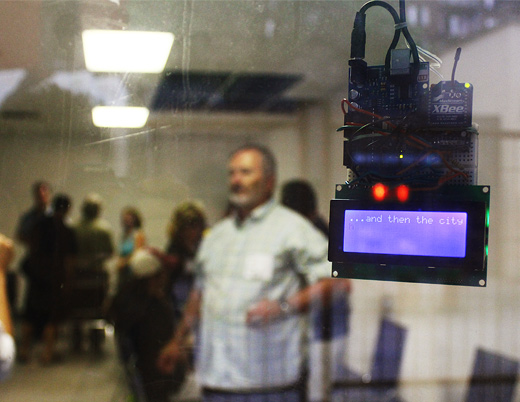
Arduino + LCD + PHP, Part 2

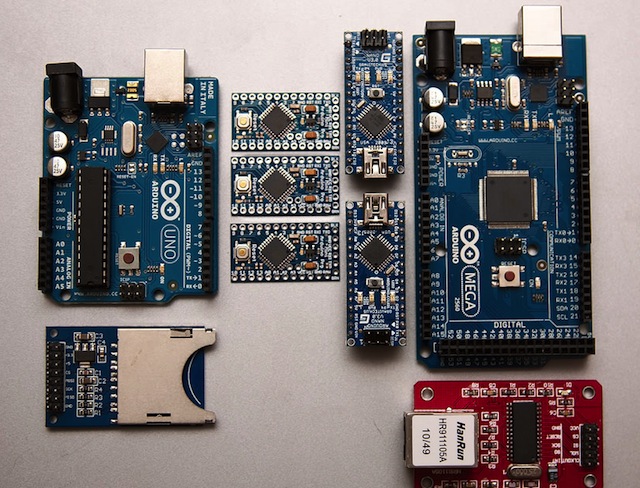
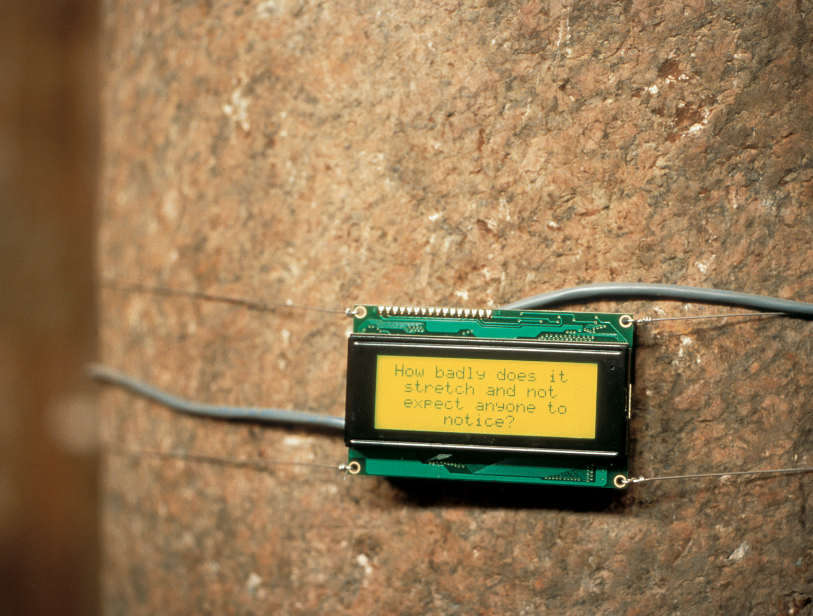
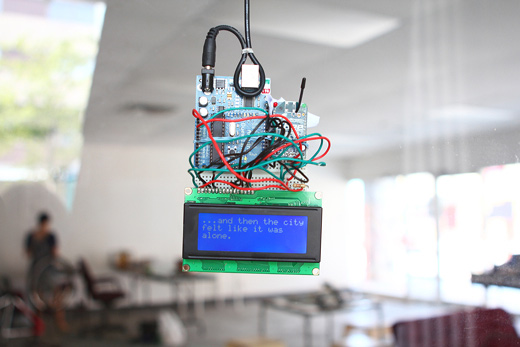
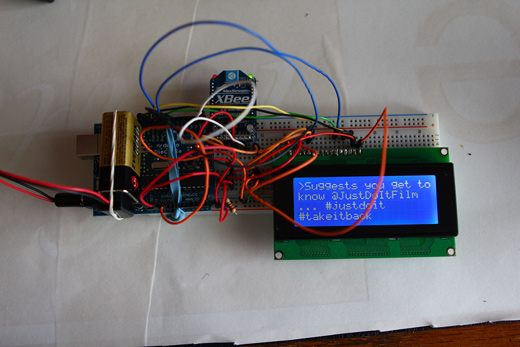
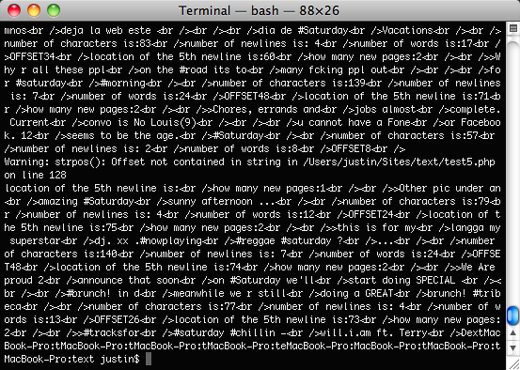
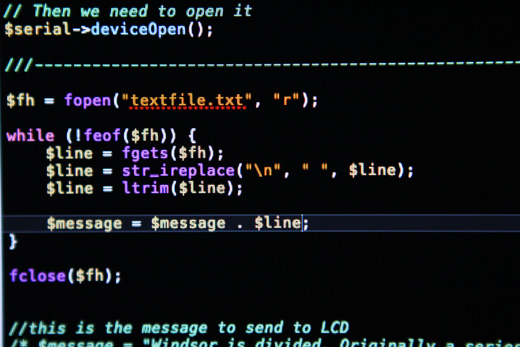
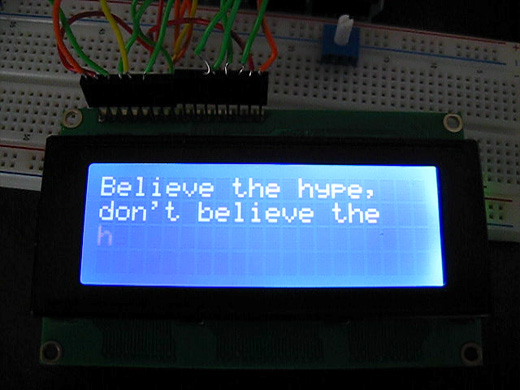
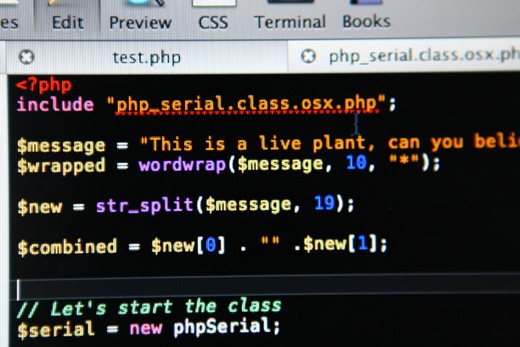
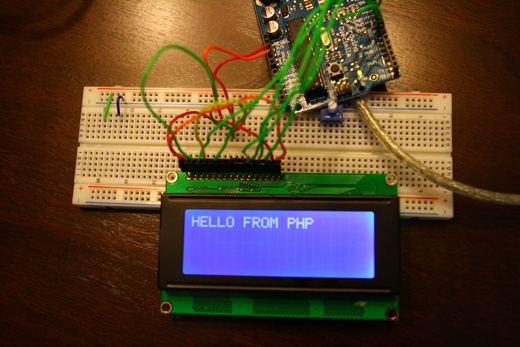
The epic adventure with Arduino, LCDs, and PHP continues. I’ve finally made some progress in terms of breaking up the words and lines appropriately. It felt like a huge achievement, since I had been trying to figure out this line-break thing for quite a while.

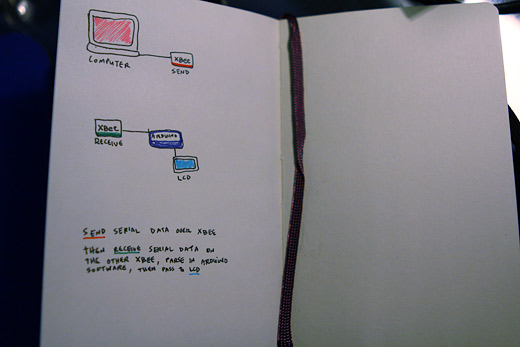
You can check the majority of the progress in the video below, and all of the steps along the way are below! Don’t mind the nonsensical example texts. So first off, I figured out I needed to send Arduino very specific information to know where to line break.

Read the rest of this entry »

Tagged:

↑ up


More Arduino + LCD + PHP fun

My work on this ongoing LCD Arduino project has been continuing over the last couple of weeks, I just haven’t had the time to update appropriately.

So, I switched over my plan of attack from Processing to PHP. I figured this made sense for a couple reasons: first, I’m already very well-acquainted with PHP, I’ve written and hacked together a good amount of code in this language before and so I feel like I’ll spend a lot less time just figuring this out and more time actually doing; second, I don’t think I was really going to use Processing for its strengths, and instead, I was going to rely on its string functions, which pale in comparison to PHP.

I’ve made quite a lot of progress over the last week or so — all of which is detailed below. There are still some major problems I need to sort out, but for the most part things are about where I’d hoped them to be at this point.

Read the rest of this entry »

Tagged:

↑ up


New LCDs and Serial Ports and some Max/MSP for good measure

I haven’t posted on this project for a little while, partially because of the preparation for the ongoing Save the City project, and partially because the little time that I’ve had to work on this has only resulted in small increments. So, I figured I would wait until I had some more significant updates to make to post, and here they are.

Basically, I’ve been working on a couple parts of the project. I’ve been updating a Max/MSP/Jitter project that BCL had previously used for our projection performances to try to automate some of the scaling of text depending on what the input is, while also continuing with the Arduino and LCD integration.

Read the rest of this entry »

Tagged:

↑ up


Getting Things to Talk: Arduino + LCDs

I spent the better part of the day on Saturday doing some more basic research into connecting an Arduino and LCD for this ongoing project. For the most part, it’s pretty basic and following the wiring diagrams and tutorials online is fine.

I ran into a problem with getting text on two lines, which I’ll detail below. Next on the to do list is to order a different LCD, maybe a 4×20 display and maybe something even smaller and then do some work on the text processing part of this whole thing.

Overall, it was a good start and I’m anxious for later this week when I’ll have a block of time to continue with the next steps in this early research.

Read the rest of this entry »

Tagged:

↑ up


Starting New Projects: Researching the Basics of Arduino + LCDs

As part of a Canada Council for the Arts Inter-Arts Research and Creation grant I received, I will be documenting my work on the project through here, as I anticipate it will cross over into other projects we work on and came out of past projects we’ve completed.

This project comes out of Broken City Lab’s previous work on Text In-Transit, where I’m hoping to open up a continuing flow of those kinds of texts in relation to a public space like a bus, or bus stops, or the downtown terminal. It’s likely that we’ll be working with Transit Windsor again on this project as it moves along. The project will connect this kind of publicly-engaged work I’ve done with BCL with some of my digital work I’ve done in the past.

The project is going to involve a lot of experimenting with Arduino-controlled LCD screens, and efforts towards capturing sms text messages, twitter updates, and emails and pushing them all into an LCD display. This will be the foundation of the project anyways.

I’m assuming this is going to involve a combination of interfacing Arduino with Max or Processing and using Perl or maybe PHP to do the text processing (depending on how involved it is), though it may end up taking another route altogether, but that’s what this time is for. I’ll be spending the next few months working through these aspects of the project, while also building towards an approximation of a public installation. I’ll spill more details as time goes on, and I’ll be documenting my progress, as I’ll undoubtedly need notes of my own, and why not keep them on here?

For now, I’ll be working through some basic tutorials, and eventually heading up to InterAcces for some of their workshops.

I would like to thank the Canada Council for the Arts for their generous support in this project. I’ll be acknowledging their support with their logo on each post that I write while documenting this project.

Tagged:

↑ up


Interactivos? re:farm the city

re:farm sensors

re:farm the city is a low-tech urban / community garden project of sorts. The image above is a part of that low tech. This is a simple monitoring system developed using Arduino and Processing that will track humidity levels in six planters and alert the gardener if they get too low (essentially broadcasting that they are in need of watering).

The project is aimed at developing a series of tools that would enable city-dwellers to grow and monitor an urban garden using open-software and open-hardware and as much recycled materials as possible. It also focuses on new ways of visualizing and understanding relationships between plants situated in close or distanced proximity to one another.

I’ve been anxious to get into learning more Arduino for a while, but we haven’t seemed to have an appropriate project as of yet. Maybe there are some ways to include some technology that would aid in the educational element of our community garden…

[via  we make money not art ]

Tagged:

↑ up


In The Air

In the Air - a data visualization project initiated at MediaLab in Madrid

In The Air is a data visualization project initiated at MediaLab-Prado in Madrid. The project has taken a large dataset consisting of a year’s worth of air quality readings from Madrid and is beginning to realize a number of ways to make visible the invisible agents of the city’s air (gases, particles, pollen, etc). In The Air is using both web interfaces and physical prototypes for representing the data, and while the web component looks very slick, I’m considerably more interested in the physical parts.

I’m not sure how well the images read above, but those are some examples of their process as they work their way through Arduino-controlled contraptions that will spray out different colours of mist depending on the air quality data. There’s a video of one of their failed attempts on Serial Cosign, which is where I originally saw the project.

Seeing people do stuff is inspiring.

Tagged:

↑ up


Open Source Hardware

Team Arduino: Gianluca Martino, Massimo Banzi, and David Cuartielles Photo by James Day

There’s a really good story over at Wired about the idea, business models, and inventors behind open source hardware. Pictured above are the founders of Arduino, three pretty relaxed looking dudes, making knowledge open and free. It’s really incredible to realize that there are companies and projects that are based on open source hardware and profit from it in one way or another. We could build an exact copy of the Arduino board, call it Broken City Board and sell it, as long as we kept the same Creative Commons licensing as the original Arduino board. Walmart could also do the same, but of course, would also be subject to the same licensing requirements.

Open knowledge and the potential to make things more open, more accessible, more functional is the future. Again, it’s a great read and just goes to show how important it is for us to document and share everything we do.

Tagged:

↑ up


Plant-Reactive Robots Make Music

Plant-Reactive Robots Play Bamboo, Chinese Instruments at Royal Botanic Garden, Scotland

An installation in Palm House, Royal Botanic Garden, Edinburgh, Scotland where a variety of traditional Chinese instruments and chimes are controlled robotically in response to people and plants. The sounds produced by this are incredibly beautiful, watching the video of the installationis highly recommended. Built using Arduino, the installation reacts to the presence of humans and changes in the soil of the plant beds.

Similar and equally cool—Botanicalls, an open-source project that uses sensors to determine when plants need to be watered and then automatically calls its owner to ask to be watered.

[via]

Tagged:

↑ up


Location

Windsor from Google Maps' perspective

Windsor, Ontario (South of Detroit)

Save the City !!!

Broken City Lab: Save the City
5 months of community events to imagine how to save this city.

Participate! March 20th, 3PM

Mailing List


Activity

Follow us on Twitter

Conversations

  • Michelle: SO FUNNY!
  • darren: I’m sure sparkfun has some too, maybe different.
  • Justin: ahhh nice. thanks for the link!
  • darren: adafruit has been selling those for quite a while http://www.adafruit.com/index. php?main_page=product_info&...
  • Justin: Yes, Mark, thanks for the pics and the suggestions for the list, that area around the Casino fell into the sites of apology side...
  • tinyenormous: Hi justin! For the 2 line contrast thing I have run into similar issues before. I recommend using a pot to control the...
  • Mark Boscariol: p.s. pelissier bldg isn’t mine, but I know the guy who bought it
  • Mark Boscariol: Cool, couldn’t make it but I hope you got the pics I dropped off. 3 houses across from casino parking garage...

Archives

Tags

3D 100 ways abandoned activism advertisements air airport algorithm Ambassador Bridge analog annotate architecture arduino art artist Artspace astroturf automobile awesome balloons banner baskets battery BCL Bench bicycle bike bikes billboard bio biodegradable Blog book books border brainstorm bridge buildings bus Canada car cellphone chalk Chattanooga Chicago cities city citynoise code collaborative collective community computer computers conference Conflux consultancy context costume create here crisis cross-border communication crowd-sourcing data database demo design Detroit development DIY documentary documentation downtown drawing driving ecohouse economy EC Row editing electricity electronics energy environment eric boucher event exhibition exploring extended field trip eye fake fashion fence field test fieldtrip fire firefox flagging tape fuel efficiency gallery game garbage garden gardening geography google google earth google maps graffiti grants grass green Green Corridor guerilla hack hacking Halloween hardware history house housing how to HQ ice ideas image inflatable infrastructure install installation inter-city interactive internet intervention interventions interview ironing knitting LCD Lebel LED light lights list lists magnetic magnets make making mapping maps materials math message michelles Michigan micro-residency mind map monitoring moss movie music naturalized area nature neighbourhood news newspaper newspapers New York new york city night noiseborder office hours open source opportunity paint painting paper parade paranoia park parking ticket parks participation party pedagogy performance perspective Peterborough photography PHP physics pixel planning plans plant planters plants plastic bags politics pollution presentation printers project projection projector projects psychogeography public public art public domain public realm public space public transit pulp radio Rain reading reblog recycle remote research residency resistors restaurant reuse ribbons river roof rope safety Sandwich Sao Paulo Save the City school science screening sculpture sculptures seed bombs seeds sign signage snow social practice software soil soldering sound Soundart space spray paint stencil stencils stickers story strategic plan street street art street art strike submissions suburb surveillance sustainability sustainable tags talk tea technology test tetris text Text In-Transit time-lapse tools Toronto transit transmit transplant travel tree trees tshirts tunnel tv university urban venues video visualization walk wall water Waterloo website wheat paste wildflowers Windsor youth youtube

Our Recent Research

Research Description

Broken City Lab is an interdisciplinary creative research group that tactically disrupts and engages the city, its communities, and its infrastructures to reimagine the potential for action in a collapsing post-industrial city.

Call for Submissions

Broken City Lab: Storefront Residencies for Social Innovation
The Storefront Residencies for Social Innovation invites the radical re-imagining of the possibilities in occupying a vacant storefront in the heart of Windsor for one month. Apply now!

Subscribe

Broken City Lab RSS icon Blog RSS

Broken City Lab RSS icon Comments RSS

Events

Sing to the Streets March 20, 2010, 3pm

City Share Conference in Chattanooga Feb 17 - 20, 2010

Sites of Apology / Sites of Hope Sunday, Feb 28, 2010, 1pm

Public Realm at Propeller Centre for the Visual Arts Jan 20 - 31, 2010

Save the City: Listen to the City Sunday, Jan 24, 2010, 8pm

» More Events...

Cross-Border Communication

Cross-Border Communication: We're In This Together
Cross-Border Communication is an interventionist performance series based on the desperate need to communicate with Detroit from Windsor.

Most Read Posts

Contact

info@brokencitylab.org

Bookmarks

What We're Reading

Links

Meta