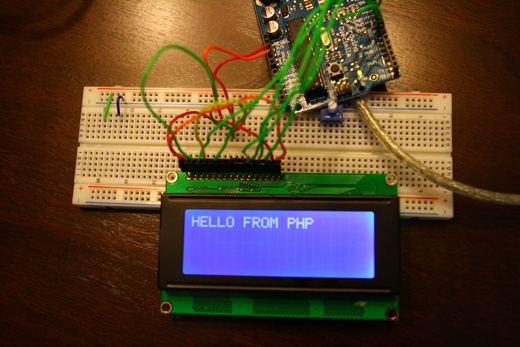
My work on this ongoing LCD Arduino project has been continuing over the last couple of weeks, I just haven’t had the time to update appropriately.
So, I switched over my plan of attack from Processing to PHP. I figured this made sense for a couple reasons: first, I’m already very well-acquainted with PHP, I’ve written and hacked together a good amount of code in this language before and so I feel like I’ll spend a lot less time just figuring this out and more time actually doing; second, I don’t think I was really going to use Processing for its strengths, and instead, I was going to rely on its string functions, which pale in comparison to PHP.
I’ve made quite a lot of progress over the last week or so — all of which is detailed below. There are still some major problems I need to sort out, but for the most part things are about where I’d hoped them to be at this point.
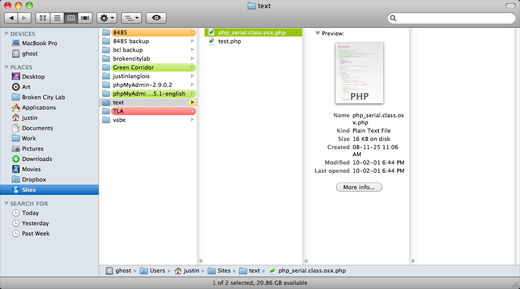
First off, I had to spend some time getting the server up and PHP and running on my MacBook Pro again. I had set this up a while back, probably before I upgraded to Leopard (and having since upgraded to Snow Leopard), some things needed some manual attention. I wish I had saved the links, but the gist of it was that I needed to change the user.conf file.
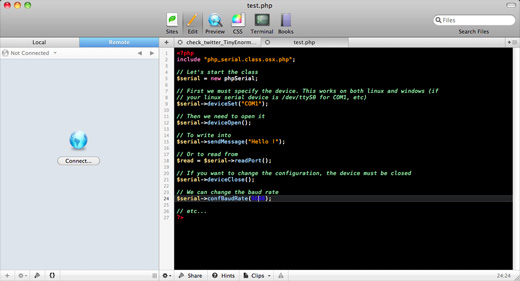
I also started working with the PHP Serial class, which is awesome, there are a few versions out there, but the one I’m using came from Rizwan Kassim who made changes to the oft-circulated Rémy Sanchez version.
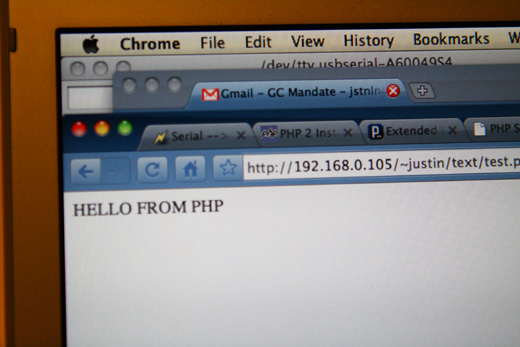
So, I tweaked the example script to spit out the text that would appear on my LCD screen in my browser window.
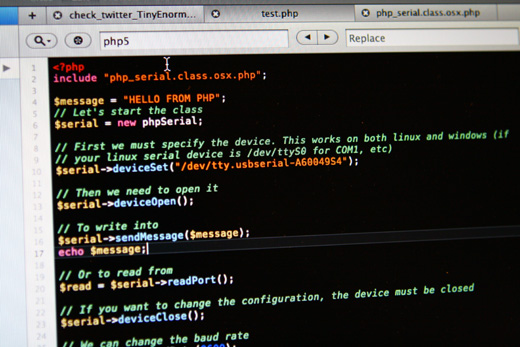
Here’s the script.
And the result.
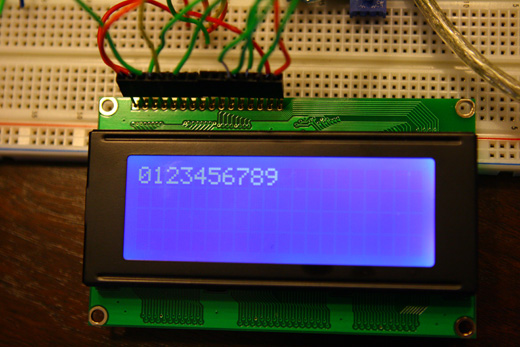
Then I moved onto a looped script.
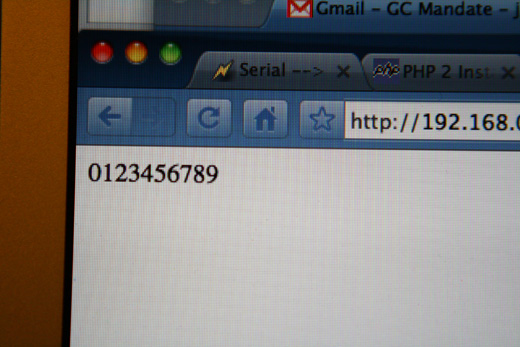
This worked fairly well.
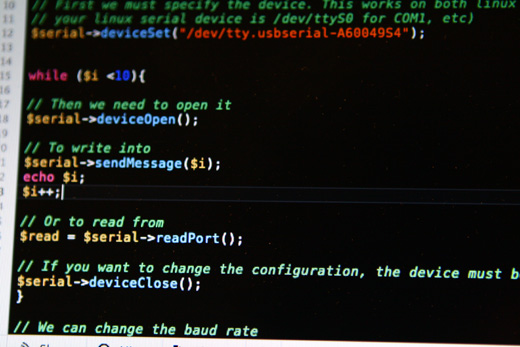
The script … wrapping the $serial -> sendMessage($i) in a while statement.
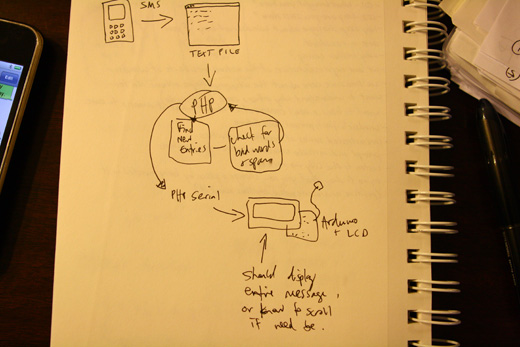
My diagram for what exactly I want this to do…
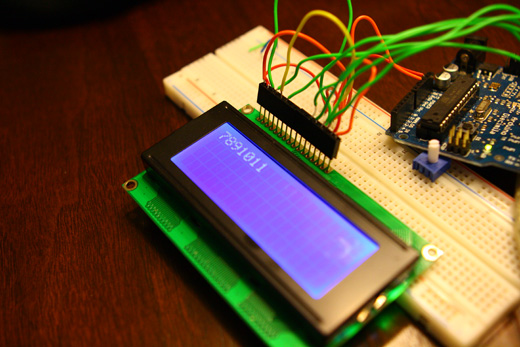
The counting numbers script was a bit wonky for reasons I’m not entirely clear about. Basically it would count up to a certain number, but then clear the screen and print the rest of the numbers. That is, if I wanted it to write up to 11, it would split the number sequence somewhere near 6 or 7, and then show the rest on a freshly cleared screen. I’m not sure why this was happening, but I wondered if the script was just moving too slowly (or too quickly) for the Arduino to catch it all at once.
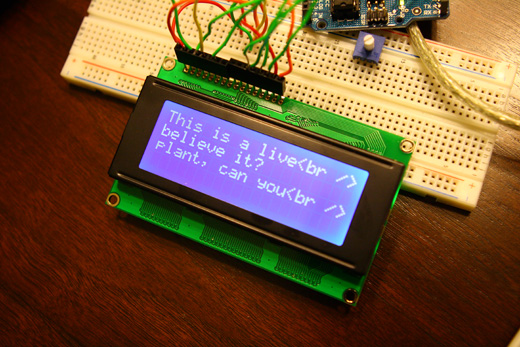
Then I spent a long time trying to figure out how to break up the text correctly. The thing is, I had hoped for this project to be able to take a text string and display it all at once on the LCD screen. However, the LCD screen and Arduino don’t know how to automatically display this as I might wish. There are some inherent difficulties in this — while PHP can find me letters or entire words and break them up accordingly, I’m not sure how to signal Arduino to tell the LCD to start a new line. You can see above, I had momentarily programmed the PHP script to display correctly in the browser, but it made me think that if I could just find the right catch character, I could get this to work as I imagined.
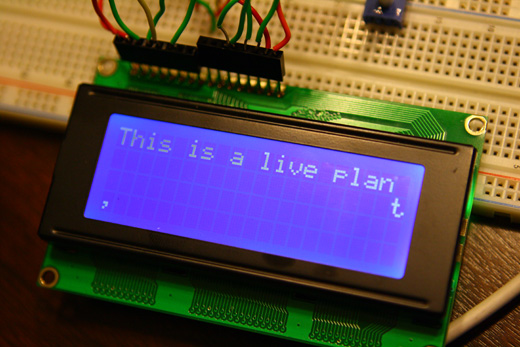
The other thing that you’ll notice is that the Arduino sketch as I had written it at the moment, wasn’t right in its placement of characters on the LCD.
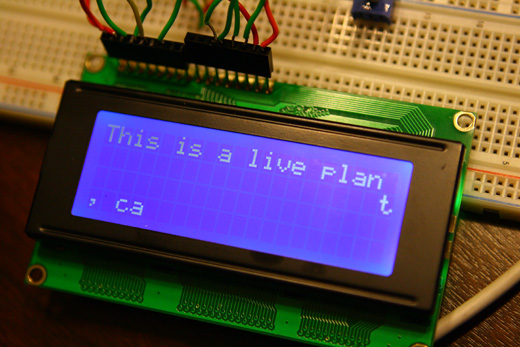
As I understand it, these LCDs are meant to write to the 1st line, then the 3rd, then the 2nd, then the 4th.
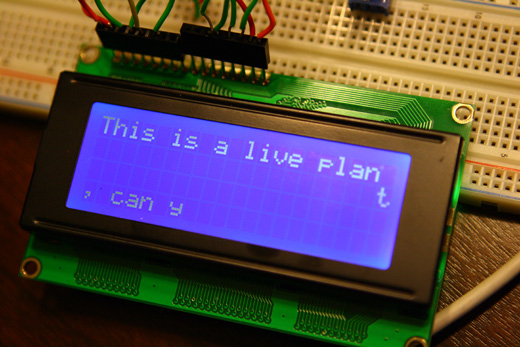
In this case, I had the Arduino sketch printing out one letter at a time — and I realized I actually liked this effect (simple I know), but I think it helps to communicate some level of this thing actually receiving new data.
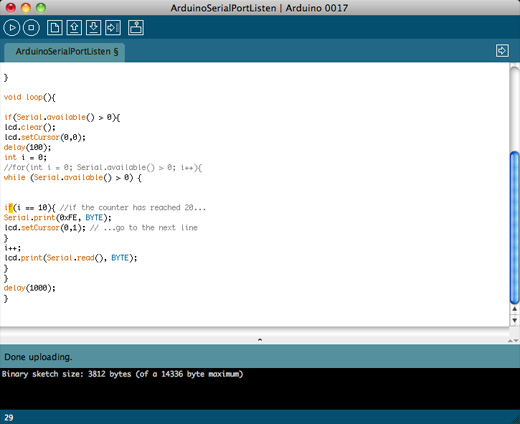
One of the many Arduino sketches I was trying to piece together from other tutorials, etc. At some point I think I was trying to use command characters that I saw on Serial LCD tutorials — my LCD is parallel, so I have to imagine this is a big reason why it wasn’t working.
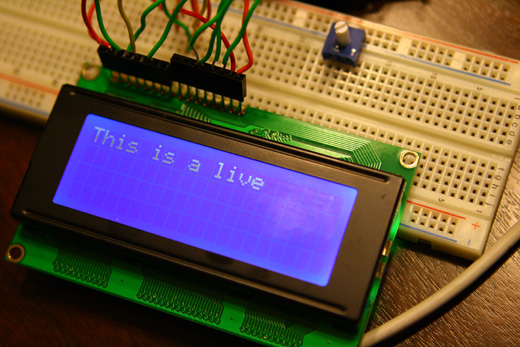
So, back to the drawing board…
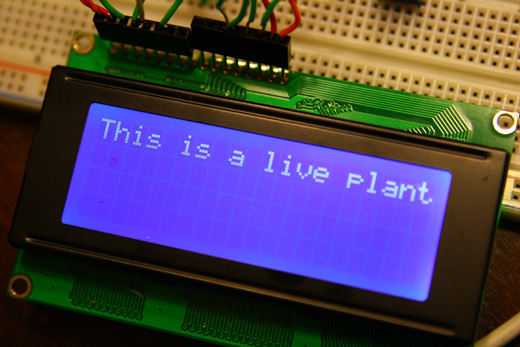
This time, I got it to work…
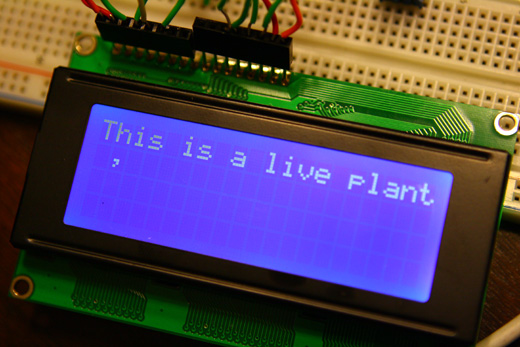
See the comma — it went to the 2nd line, like it was supposed to!
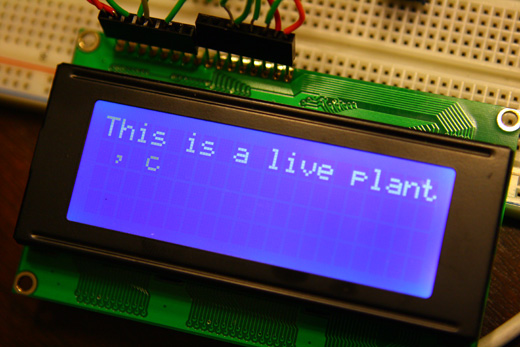
The string carried on, though it’s awkward with not being able to determine in PHP where the string should break for a new line and have that information sent on to Arduino.
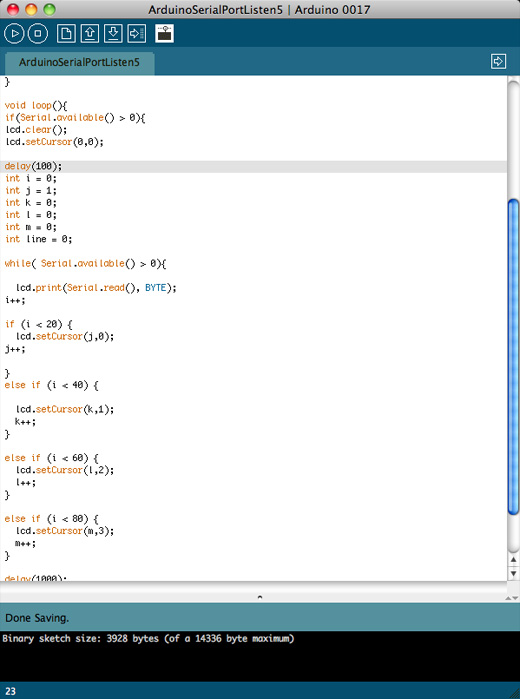
Here’s a screenshot of the Arduino code I’d settled on. Those letter variables are a counter for each line, allowing me to have Arduino automatically wrap the entire string when it’s reached the end of each line properly so that the string continues onto the next line, rather than the 1-3, 2-4 thing I described above.
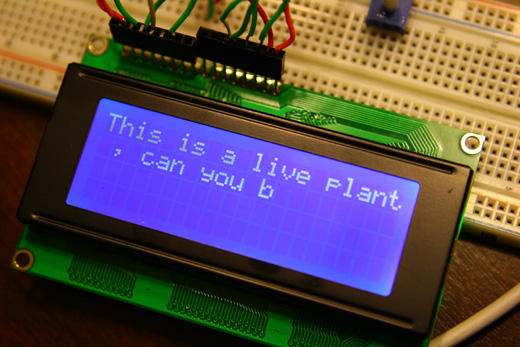
So the string continues.
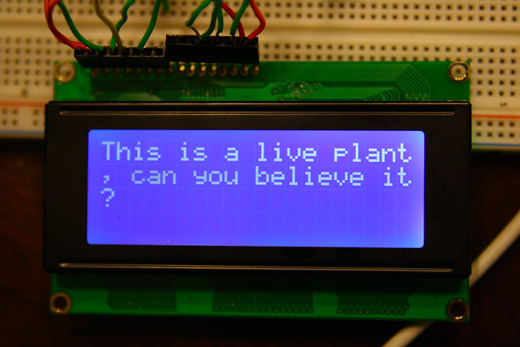
And here’s the string completed. Really awkward line breaks in the string, as Arduino will print until its reached 20 characters on each line. You can see why I need to figure out how to translated information from something like wordwrap() in PHP to Arduino.
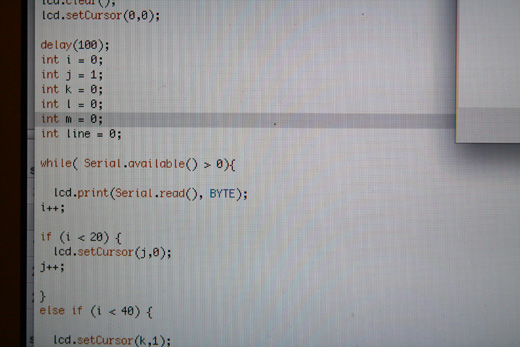
And again, here’s the code that finally made this work, all those counters…
The other part of this project that I started to work towards is the process through which I will receive text messages and put them into the system. Sending text messages from computers is easy, but receiving text messages in an email or something like that is much more difficult. However, I found
Problems that remain at the moment:
I’m still not sure why I need the Arduino Serial Monitor open for this to work. Unless it’s open, the PHP script won’t work and because it doesn’t work, it gets stuck with the Serial port open, it crashes the Arduino IDE and the LCD itself obviously has no output.
I still need to figure out how to signal a line break earlier than 20 characters when appropriate. I can get this information about a string and split it up in PHP, but I’m not sure how to pass that along to Arduino. I’m guessing using something like a case break type of loop would do it. iPiPi seems to provide the technology that I need, which is essentially a number that can receive text messages and automatically route them to an email. The service that I need is going to be fairly costly, given that I’d want a dedicated number or long code, but would be worth it to see this project work as I imagined it … that part of the project is a little while off anyways. But, I’m just happy that I found what I was looking for.
—
Annotated bibliography for the last couple of weeks:
http://dorkbotpdx.org/blog/kmat/serial_lcd (serial –> LCD … this is making more sense now, using case breaks to look for specific characters to insert a function, such as starting a new line)
http://blog.datasingularity.com/?p=50 (control arduino through html)
http://stackoverflow.com/questions/899098/arduino-serial-reading (arduino serial reading)
http://www.ipipi.com/ContactUs.do (potential sms forwarding to email option)
http://www.ipipi.com/help/ipipi_in_out.htm (this is what I would need to receive messages, not as simple as a number, but maybe the best way to avoid having to get another phone number, I should also ask about a potential shortcode)
http://docs.upsidewireless.com/index.php?title=MO_HTTP (notes on how to bring sms messages into an application using HTTP POST)
http://www.upsidewireless.com/how_virtual_sms_works.htm (this is the kind of service I’ll need for this project … SMS messages forwarded to email or accessible through HTTP requests … with the possibility of getting a Windsor-based number AKA longcode)
http://www.mydarkmaterials.co.uk/2008/11/interfacing-php-with-the-arduino/ (this is an example of interfacing PHP Serial with Arduino, and I suspect old enough that many of the problems the author ran into aren’t there any longer … maybe it’s been silly of me to ignore PHP … I actually have a decent idea of what I’m doing there)
http://www.procata.com/blog/archives/2007/10/28/working-with-php-5-in-mac-os-x-105/ (helpful to get PHP running properly on 10.6)
http://opensourceprojects-torchris.blogspot.com/2009/09/arduino-pop3-email-checker.html (maybe or maybe not useful in some capacity, using arduino to check email)
http://www.arduino.cc/playground/Learning/SparkFunSerLCD (serial commands)
http://www.arduino.cc/cgi-bin/yabb2/YaBB.pl?action=print;num=1192470251 (word wrapping in Arduino)
http://www.arduino.cc/cgi-bin/yabb2/YaBB.pl?num=1252901403/4 (word wrapping more)
I would like to thank the Canada Council for the Arts for their generous support.

One Reply to “More Arduino + LCD + PHP fun”
Comments are closed.