I’ve made some really great progress on this ongoing Arduino + LCD project over the last couple of weeks — some of the two larger hurdles are now out of the way, the results of which you can see in the video above.
Since the video was shot, I’ve improved the PHP script some more to ensure that the text is properly broken up over the appropriate lines on the LCD and I’ve also removed those strange characters, which were resulting from newlines in the Twitter RSS feed, I think.
To back up a bit though, I also made two small changes that have had a huge impact on the project. Hopefully, if there are other people having the same problem (that is, that the Arduino IDE Serial Monitor had to be open to allow any Serial data to be sent along to the Arduino / LCD), I’ve sorted it out with two small changes…
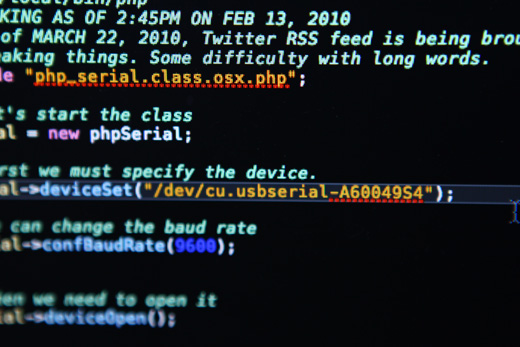
The first change that I made was changing the PHP Serial deviceSet() to /dev/cu.usbserial-A60049S4 from /dev/tty.usbserial-A60049S4. Doing some digging around finally led me to this forum, which notes that “the tty’s are for incoming (to the system) calls; the cu’s are for outgoing (from the system) calls (”cu” == “call unix”);”, citing another mailing list. Anyways, this makes a lot of sense since the Serial is actually listening for outgoing information from PHP, rather than sending incoming information to PHP.
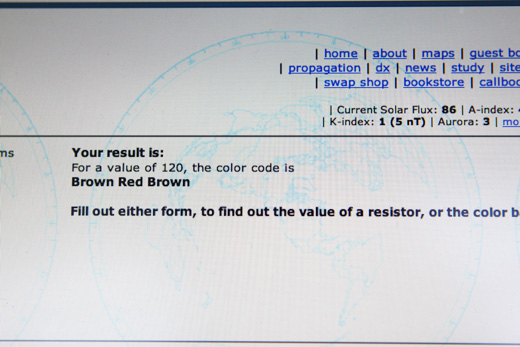
Secondly, I finally also got a hold of the correct resistor, 120 OHMs to disable the auto-reset of the Arduino upon receiving Serial data.
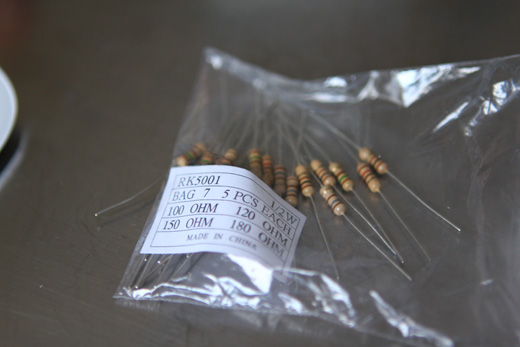
I bought a box of a variety of resistors, which will inevitably come in handy down the road, but for now, I was just happy to get the right resistor to get Arduino and the Serial data working together correctly.
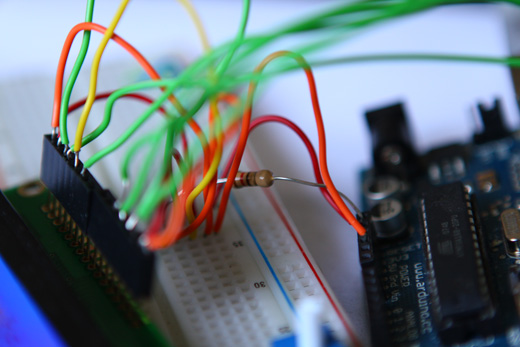
You disable the auto-reset by basically routing from the 5V power to the RESET pin on the Arduino with the 120 OHM resistor in between.
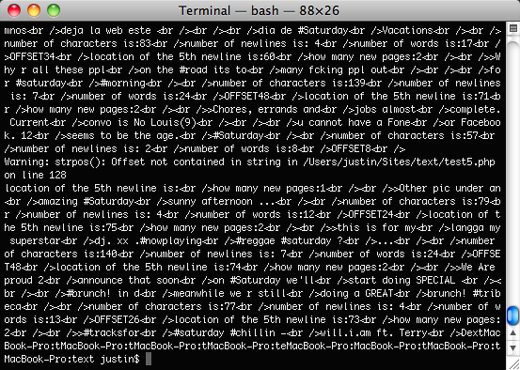
As you can see, I’ve also started running the PHP script from the Terminal, which gives me a lot more flexibility to kill the script if something isn’t going right, whereas before, when I was running it from the browser, the script would have to go the entire way through before stopping.
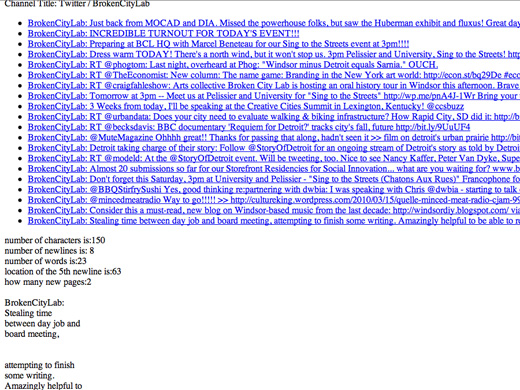
I’m using the Magpie RSS Parser, which is really great for grabbing data from Twitter, as Twitter just puts its tweets in the title tags in the XML file of the RSS feed.
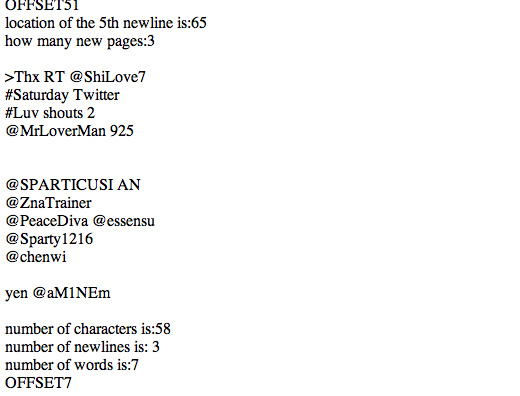
I was just working on grabbing a variety of different feeds from Twitter to try to make sure I wasn’t going to run into any unexpected character wrapping problems. In this case, I was looking at the hashtag, #Saturday.
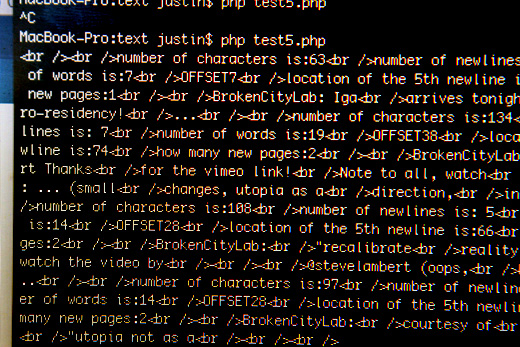
You can see that some of the HTML output I had coded into the script is a bit less useful now … though I’m thinking of having this thing write its output to a file just to keep track of it over a long duration install.
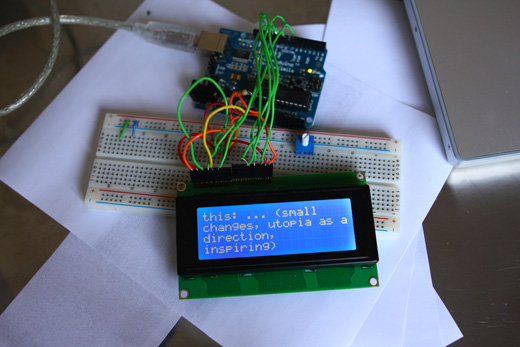
I’ve also removed the URLs from the Twitter feeds, replacing them with an ellipses. URLs wouldn’t be much use on a screen like this and they created some difficulties in the line wrapping.
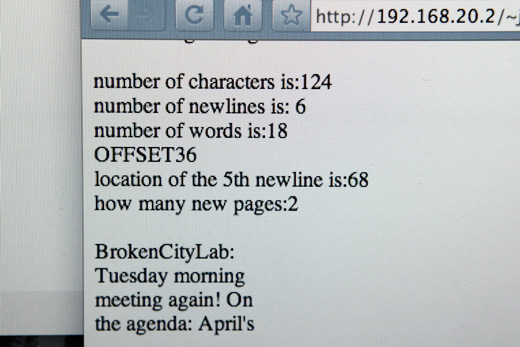
Another test in the browser, showing incoming data from Twitter.
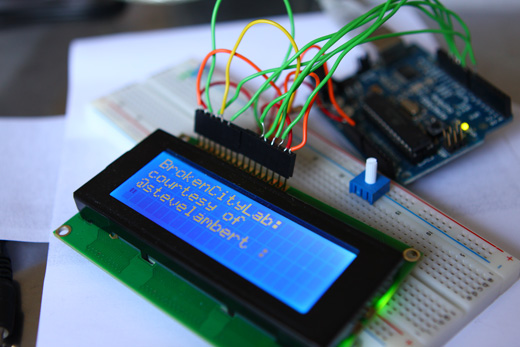
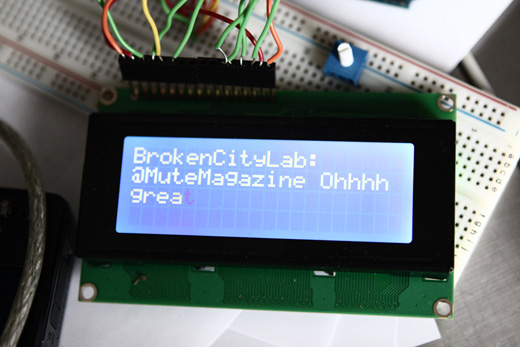
And again, on the LCD, a tweet from the Broken City Lab Twitter feed.
Overall, I’m really relieved to have made those two big steps forward in the project. Next on the list is tackling the wireless aspect of this — that is, having an Arduino and LCD wirelessly receiving information for display, and then moving on to dealing with SMS messages, which I’ve written about previously.
—
Annotated Bibliography
http://www.olate.co.uk/articles/view.php?id=214 (basic Magpie RSS tutorial)
http://www.iknowthe.net/blog/arduino-twitter-lcd-doorsign.html (another example of LCD + Twitter + Python)
http://missionduke.com/arduino-projects/ (some other PHP projects, with some questions about the Serial Monitor problem)
http://www.arduino.cc/cgi-bin/yabb2/YaBB.pl?num=1262928238 (PHP + Serial pin reset problem)
http://www.arduino.cc/playground/Main/DisablingAutoResetOnSerialConnection (Disabling auto reset on a serial connection on the Arduino)
http://www.arduino.cc/cgi-bin/yabb2/YaBB.pl?num=1236198283 (wireless LCD Arduino project)
http://rapplogic.blogspot.com/2009/05/arduino-xbee-portal.html (Arduino + LCD + XBee)
http://www.hashbangcode.com/blog/disemvoweling-php-function-1077.html (disemvoweling PHP function)
http://blog.soundsorange.net/2006/08/29/arduino-getting-the-usb-version-up-and-running-on-osx-using-pd/ (distinguishes between cu and tty)
I would like to thank the Canada Council for the Arts for their generous support.

hi there
here some question about how u pull the data from database.
u made 1 .php file to get the data, and then u also add some code to the arduino C program right? is it the idea how u send database to the arduino?
thanks in advance :)
Amy, in this case, I’m not pulling any data from a database, just working off of the Twitter feed’s RSS. I haven’t written any code to pull from a MySQL database, just from a text file and then used the Magpie library for the RSS.
On the Arduino side, yes, there is some code that receives data from the serial port, formats it in terms of starting new lines when appropriate, new pages, and clearing the screen. When the project is done, I’ll post the Arduino code as well.
Nice post mate, any chance of the source code ?
I am starting with arduino and learn the best way to integrate Twiiter and Arduino using php and API.
Thanks
I posted all the source code here: … Basically, I was just pulling from a Twitter RSS feed, didn’t get into the API stuff.
Bottom line, you need to pass PHP through serial port. You could certainly use the API or any source really after that you get the basic communications down.